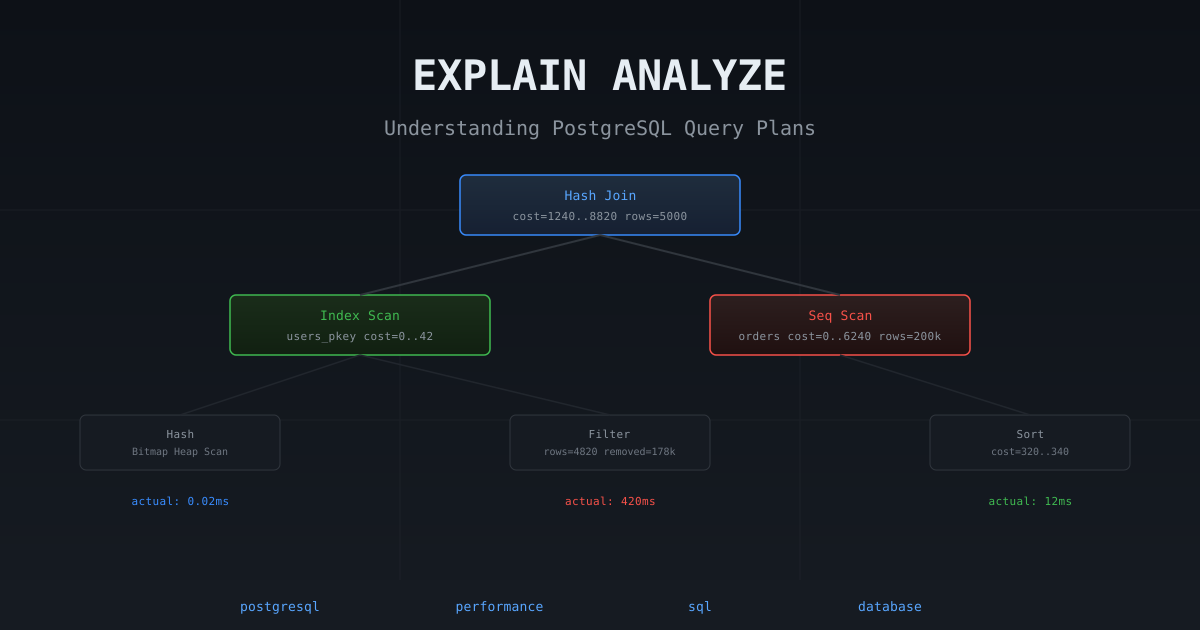
When a query is slow, your first move should always be EXPLAIN. Most developers have seen the output, stared at it briefly, and moved on without really understanding what they were looking at. This post changes that. We’ll go from zero to being able to read a plan with confidence — including the gotchas that routinely fool even experienced engineers.
What EXPLAIN Actually Does
When you submit a SQL query, PostgreSQL doesn’t execute it immediately. First, the query planner analyzes all the ways it could satisfy the query and estimates which is cheapest. EXPLAIN shows you the plan the planner chose, without actually running the query.
EXPLAIN ANALYZE runs the query and shows you the plan alongside the actual measured times. That distinction matters enormously, as we’ll see.
-- Shows the plan only (no execution)
EXPLAIN SELECT * FROM orders WHERE user_id = 42;

-- Runs the query and shows plan + actual timings
EXPLAIN ANALYZE SELECT * FROM orders WHERE user_id = 42;

-- Most useful form: adds buffers (I/O stats) and verbose node info
EXPLAIN (ANALYZE, BUFFERS, FORMAT TEXT) SELECT * FROM orders WHERE user_id = 42;
The planner’s estimates are based on statistics — table row counts, column value distributions, and correlation info stored in pg_statistic (surfaced via pg_stats). If your statistics are stale (last ANALYZE ran a while ago), the planner will make poor decisions.
Reading the Plan Tree
A query plan is a tree of nodes. Each node is an operation — a scan, a join, a sort, an aggregate. The tree is read bottom-up: leaves execute first, results flow upward to parent nodes.
Here’s a simple plan to orient us:
Nested Loop  (cost=0.43..16.50 rows=10 width=64)
  ->  Index Scan using users_pkey on users  (cost=0.43..8.45 rows=1 width=32)
        Index Cond: (id = 42)
  ->  Seq Scan on orders  (cost=0.00..8.00 rows=10 width=32)
        Filter: (user_id = 42)
How to read this:
- The bottom-most nodes (
Index Scanon users,Seq Scanon orders) run first. - Their results feed up into
Nested Loop, which joins them. - Indentation = depth in the tree. More indented = runs earlier.
The Cost Fields
Every node shows (cost=startup..total rows=N width=W):
| Field | Meaning |
|---|---|
startup | Cost before the first row can be returned (e.g. building a sort buffer) |
total | Estimated total cost if all rows are consumed |
rows | Estimated number of rows this node will output |
width | Estimated average row size in bytes |
Cost is unitless — it’s in abstract “cost units” that PostgreSQL uses internally to compare options. A cost of 1.0 roughly corresponds to one sequential page read. It’s meaningless as an absolute number but useful for comparing nodes within the same plan.
The total cost of the root node is what the planner minimized when choosing this plan. Higher cost = planner thinks it’s more expensive.
EXPLAIN ANALYZE adds actual timings
With ANALYZE, each node also shows:
Seq Scan on orders  (cost=0.00..8820.00 rows=200000 width=40)
                    (actual time=0.012..412.340 rows=198234 loops=1)
(actual time=startup..total rows=N loops=N)| Field | Meaning |
|---|---|
actual time | Real measured time in milliseconds (startup..total) |
actual rows | How many rows were actually produced |
loops | How many times this node executed (important in joins!) |
The loops field is critical. In a nested loop join, the inner side runs once per row from the outer side. If loops=500 and actual time=0.05..0.10, the total contribution of that node is 0.10ms × 500 = 50ms — not 0.10ms. PostgreSQL reports per-loop averages, so you must multiply by loops yourself.
BUFFERS shows I/O
EXPLAIN (ANALYZE, BUFFERS) adds buffer hit/miss stats to each node:
Seq Scan on orders  (cost=0.00..8820.00 rows=200000 width=40)
                    (actual time=0.012..412.340 rows=198234 loops=1)
Buffers: shared hit=1240 read=6780| Field | Meaning |
|---|---|
shared hit | Pages found in PostgreSQL’s shared buffer cache (fast) |
shared read | Pages read from disk or OS page cache (slow) |
shared written | Dirty pages written during the query |
temp read/written | Temporary disk I/O (spilled sorts, hash joins) |
High read vs hit ratio = your working set doesn’t fit in shared_buffers. High temp written = your sort/hash operations don’t fit in work_mem (the per-operation memory budget for sorts, hashes, and bitmap allocations — defaults to 4 MB) and are spilling to disk.
The Full EXPLAIN Output — Annotated
Let’s look at a realistic plan with ANALYZE, BUFFERS, and FORMAT TEXT:
EXPLAIN (ANALYZE, BUFFERS, FORMAT TEXT)
SELECT u.name, COUNT(o.id) as order_count
FROM users u
JOIN orders o ON o.user_id = u.id
WHERE u.created_at > '2025-01-01'
GROUP BY u.id, u.name
ORDER BY order_count DESC
LIMIT 10;
Limit (cost=18420.32..18420.34 rows=10 width=40)
(actual time=523.812..523.814 rows=10 loops=1)
-> Sort (cost=18420.32..18445.32 rows=10000 width=40)
(actual time=523.811..523.812 rows=10 loops=1)
Sort Key: (count(o.id)) DESC
Sort Method: top-N heapsort Memory: 25kB
-> HashAggregate (cost=18000.00..18100.00 rows=10000 width=40)
(actual time=519.234..521.456 rows=9823 loops=1)
Group Key: u.id, u.name
Batches: 1 Memory Usage: 2048kB
-> Hash Join (cost=1240.00..16500.00 rows=100000 width=16)
(actual time=8.432..480.231 rows=98432 loops=1)
Hash Cond: (o.user_id = u.id)
Buffers: shared hit=4820 read=2340
-> Seq Scan on orders o (cost=0.00..8820.00 rows=200000 width=8)
(actual time=0.012..210.340 rows=200000 loops=1)
Buffers: shared hit=2240 read=2340
-> Hash (cost=980.00..980.00 rows=20800 width=16)
(actual time=8.120..8.120 rows=20812 loops=1)
Buckets: 32768 Batches: 1 Memory Usage: 1280kB
-> Index Scan using users_created_at_idx on users u
(cost=0.43..980.00 rows=20800 width=16)
(actual time=0.032..6.234 rows=20812 loops=1)
Index Cond: (created_at > '2025-01-01')
Buffers: shared hit=580Reading this bottom-up:
Index Scan on users— uses thecreated_atindex to find the 20,812 users created after 2025-01-01. Fast, 6ms.Hash— builds a hash table from those users in memory (1280kB). One-time cost.Seq Scan on orders— reads all 200,000 orders. The bottleneck: 210ms, 2340 pages read from disk.Hash Join— probes the hash table with each order row to find matches. Total 480ms.HashAggregate— groups and counts. 519ms cumulative.Sort— sorts by count descending using a top-N heapsort (only keeps 10 rows, very cheap).Limit— returns the top 10 rows.
The problem is obvious: the Seq Scan on orders with 2340 disk reads is the bottleneck. An index on orders.user_id would change this to an index scan, potentially eliminating most of those reads.
Seq Scan vs Index Scan vs Bitmap Index Scan
This is the section most engineers want to understand. PostgreSQL has three fundamentally different ways to read rows from a table, each with different trade-offs.
Sequential Scan (Seq Scan)
Reads every page of the table from start to finish, in physical disk order.
Seq Scan on orders  (cost=0.00..8820.00 rows=200000 width=40)
                    (actual time=0.012..412.340 rows=198234 loops=1)
  Filter: (status = 'pending')
  Rows Removed by Filter: 1766
When PostgreSQL chooses it:
- No usable index exists.
- The query will return a large fraction of the table (typically >5-20% of rows). Reading the index + jumping around the heap for each row costs more than just reading the whole table sequentially.
- The table is small — a seq scan on a 50-row table is always faster than any index lookup.
random_page_costis set high (spinning disks) making index random I/O expensive relative to sequential I/O.
The key insight: Seq scan has low overhead per page. Index scan has high overhead per row (random I/O). The crossover point is usually around 5-15% of the table’s rows depending on your storage and random_page_cost setting.
When it surprises you: You added an index but the planner still chooses a seq scan. This usually means either (a) you’re fetching more rows than you think, (b) your statistics are stale (ANALYZE needed), or (c) random_page_cost is too high for SSD storage (default is 4.0, should be ~1.1 on SSD).
-- Check what fraction of rows your filter selects
SELECT COUNT(*) FILTER (WHERE status = 'pending') * 100.0 / COUNT(*) AS pct
FROM orders;
-- If pct > 10%, seq scan is probably right
Index Scan
Uses a B-tree (or other) index to find row locations, then fetches each row from the heap (the main table storage) one by one.
Index Scan using orders_user_id_idx on orders
  (cost=0.43..42.50 rows=10 width=40)
  (actual time=0.032..0.218 rows=8 loops=1)
  Index Cond: (user_id = 42)
How it works:
- Traverse the B-tree index to find all entries matching
user_id = 42. - For each index entry, follow the heap pointer to fetch the actual row from the table — these are TIDs (tuple identifiers — the
(page, slot)physical addresses we covered in How Databases Actually Store and Find Your Data). - Each heap fetch is a random I/O — potentially a different page each time.
When PostgreSQL chooses Index Scan:
- A small fraction of rows match the predicate (low selectivity in the result-set sense).
- The index columns and the physical row order are well-correlated — i.e. nearby keys in the index map to nearby pages on disk. Postgres tracks this via
pg_stats.correlation(1.0 = perfect, 0.0 = random). High correlation makes Index Scan cheap because heap fetches stay sequential.
When correlation is low, Postgres prefers Bitmap Index Scan instead — same index, but it sorts the matching tuple IDs by physical page before fetching, turning random heap I/O into a sequential pass.
-- Check correlation for a column
SELECT tablename, attname, correlation
FROM pg_stats
WHERE tablename = 'orders' AND attname = 'user_id';
Index-only scan — a variant where the index contains all the columns the query needs. PostgreSQL can return results without ever touching the heap:
Index Only Scan using orders_user_status_idx on orders
  (cost=0.43..12.50 rows=10 width=8)
  (actual time=0.018..0.045 rows=8 loops=1)
  Index Cond: (user_id = 42)
  Heap Fetches: 0
Heap Fetches: 0 means pure index reads. This is the fastest possible scan for selective queries. Requires that all SELECTed columns (and the WHERE columns) are in the index. PostgreSQL also needs the visibility map (a per-table bitmap that tracks which pages contain only tuples visible to all transactions — see PostgreSQL Indexing Deep Dive for the mechanics) to confirm rows are visible (otherwise it must fetch from the heap), so VACUUM must have run recently.
Bitmap Index Scan
Bitmap Index Scan is PostgreSQL’s most clever scan strategy — a two-phase approach designed specifically for the middle-ground situation where too many rows match for an index scan, but not enough to justify reading the entire table. It trades an extra bookkeeping step for much cheaper I/O.
The Two Phases in Detail
Bitmap Heap Scan on orders  (cost=240.32..4820.10 rows=12000 width=40)
                             (actual time=4.231..82.340 rows=11984 loops=1)
  Recheck Cond: (status = 'pending')
  Heap Blocks: exact=3420
  ->  Bitmap Index Scan on orders_status_idx
        (cost=0.00..237.32 rows=12000 width=0)
        (actual time=3.890..3.890 rows=11984 loops=1)
        Index Cond: (status = 'pending')
Phase 1 — Bitmap Index Scan:
PostgreSQL walks the index (just like a regular index scan) and collects the physical address (TID — tuple identifier) of every row matching the condition. But instead of immediately fetching those rows from the heap, it builds a bitmap in memory. Each bit in the bitmap represents one heap page. If any matching row lives on a page, that page’s bit is set to 1.
At the end of Phase 1, we know which pages contain matching rows — but we haven’t touched the heap at all yet. Crucially, if 50 matching rows all happen to live on page 4820, that page’s bit is set exactly once, not 50 times.
Phase 2 — Bitmap Heap Scan:
PostgreSQL scans the heap, but only reads pages whose bit is set. Because it processes pages in ascending physical page order (not in the random order the index would produce), this is sequential I/O — the OS and storage layer can prefetch ahead efficiently. Each flagged page is read once, all matching rows on that page are extracted, and the Recheck Cond filter is applied.
Why This Is Faster Than Index Scan at Medium Selectivity
If 50,000 rows match a predicate over a 1M-row table on 10K pages, an Index Scan can hit up to ~10K distinct pages in index order, which on a poorly-correlated index means thousands of random I/Os. A Bitmap Index Scan first builds a bitmap of matching row IDs, sorts them by physical page, and reads each page once — turning thousands of random reads into ~10K sequential ones.
The bitmap converts random I/O into sequential I/O by batching and sorting all the access locations first.
Exact vs Lossy Bitmaps
The bitmap lives in memory — specifically in work_mem. This is where PostgreSQL’s adaptiveness becomes especially interesting.
When there’s enough work_mem: The bitmap tracks individual rows within each page (bit-per-tuple). This is an exact bitmap. When the heap scan reads a page, it knows exactly which rows to return — no extra filtering needed.
When work_mem is exhausted: PostgreSQL degrades the bitmap from per-tuple to per-page resolution. Each bit now means “this page might have a matching row.” This is a lossy bitmap. To compensate, the Recheck Cond filter is applied to every row on every flagged page to discard false positives. The query still produces correct results, but more heap rows are fetched and filtered.
You can see this distinction in the plan output:
Bitmap Heap Scan on orders
  Recheck Cond: (status = 'pending')
  Heap Blocks: exact=3200 lossy=820    -- 820 pages went lossy
  Rows Removed by Index Recheck: 14200 -- extra rows fetched and discarded
lossy=820 means 820 pages were read without knowing exactly which rows were valid — all rows on those pages had to be rechecked. If lossy is large relative to exact, you’re reading significantly more heap data than necessary. Fix: increase work_mem for the session or globally.
-- Test the effect
SET work_mem = '64MB';
EXPLAIN (ANALYZE, BUFFERS) SELECT ...;
-- If 'lossy' drops to 0, you've found your sweet spot
BitmapAnd — Using Multiple Indexes Simultaneously
This is one of the most powerful capabilities of the bitmap approach. When a query has AND conditions on multiple indexed columns, PostgreSQL can build a separate bitmap for each index and intersect them:
Bitmap Heap Scan on orders  (cost=340.15..2840.10 rows=500 width=40)
                             (actual time=5.230..18.420 rows=487 loops=1)
  Recheck Cond: ((user_id = 42) AND (status = 'pending'))
  Heap Blocks: exact=420
  ->  BitmapAnd  (cost=340.15..340.15 rows=500 width=0)
                  (actual time=5.100..5.100 rows=0 loops=1)
        ->  Bitmap Index Scan on orders_user_id_idx
              (cost=0.00..120.43 rows=5000 width=0)
              (actual time=1.230..1.230 rows=4823 loops=1)
              Index Cond: (user_id = 42)
        ->  Bitmap Index Scan on orders_status_idx
              (cost=0.00..218.97 rows=50000 width=0)
              (actual time=3.120..3.120 rows=49320 loops=1)
              Index Cond: (status = 'pending')
How BitmapAnd works:
- Walk
orders_user_id_idx→ bitmap A (pages containing user 42’s orders, 5000 rows → maybe 200 pages set). - Walk
orders_status_idx→ bitmap B (pages containing pending orders, 50000 rows → maybe 2000 pages set). - AND the two bitmaps (bitwise AND) → result bitmap has only pages that appear in both. From 2200 candidate pages, only ~420 pages actually contain rows matching both conditions.
- Read those 420 pages sequentially.
Without a composite index, this is the next best thing — two mediocre single-column indexes combine to behave almost like a targeted composite index. The AND step is O(pages/64) — extremely cheap, just a bitwise AND across machine words.
When BitmapAnd is chosen over a composite index: If you have a composite index (user_id, status), the planner will usually prefer a direct Index Scan or Bitmap Index Scan on it. BitmapAnd is used when no single index covers all conditions but multiple individual indexes each filter the data significantly.
BitmapOr — Satisfying OR Conditions with Multiple Indexes
For OR conditions, PostgreSQL builds two bitmaps and takes their union:
Bitmap Heap Scan on orders
  Recheck Cond: ((user_id = 42) OR (status = 'urgent'))
  ->  BitmapOr
        ->  Bitmap Index Scan on orders_user_id_idx
              Index Cond: (user_id = 42)
        ->  Bitmap Index Scan on orders_status_idx
              Index Cond: (status = 'urgent')
Each index produces a bitmap; BitmapOr sets a page’s bit if either bitmap has it set. The heap scan then reads all flagged pages. This is far better than falling back to a seq scan just because of an OR condition.
An important nuance: BitmapOr can only avoid a seq scan if both sides of the OR have usable indexes. If one condition has no index, the planner may discard the entire strategy and choose a seq scan for the whole table — because it can’t guarantee it won’t miss rows that match the un-indexed condition.
When Does PostgreSQL Choose Bitmap Over Regular Index Scan?
The planner models the expected cost of random I/O (index scan) vs. the bitmap setup cost + sequential I/O (bitmap scan). The decision depends on:
| Factor | Pushes toward Index Scan | Pushes toward Bitmap Scan |
|---|---|---|
| Matching rows | Very few (< ~1%) | More (1-20%) |
| Table size | Small | Large |
random_page_cost | Low (SSD: 1.1) | High (disk: 4.0) |
| Physical correlation | High (rows clustered together) | Low (rows scattered) |
| Multiple filter conditions | Single-column index covers all | Multiple single-column indexes |
You can observe this tipping point experimentally:
-- With low work_mem or high selectivity, see what the planner chooses
SET enable_indexscan = off;         -- force bitmap to test its cost
EXPLAIN SELECT * FROM orders WHERE status = 'pending';

SET enable_bitmapscan = off;        -- force seq scan to test its cost
EXPLAIN SELECT * FROM orders WHERE status = 'pending';

-- Reset
SET enable_indexscan = on;
SET enable_bitmapscan = on;
enable_* settings don’t forbid a node — they add a huge cost penalty. They’re a debugging tool, not a production knob. Always reset them after diagnosing a plan.
Bitmap Scan and GIN/GiST Indexes
B-tree isn’t the only index type that feeds the bitmap machinery. GIN (used for full-text search, arrays, JSONB) and GiST (used for geometry, ranges, full-text) always use the bitmap approach when scanning — they produce a set of heap locations that gets fed into a Bitmap Heap Scan:
Bitmap Heap Scan on articles
  Recheck Cond: (to_tsvector('english', body) @@ 'postgresql'::tsquery)
  ->  Bitmap Index Scan on articles_body_fts_idx
        Index Cond: (to_tsvector('english', body) @@ 'postgresql'::tsquery)
For JSONB and array containment queries, the same pattern applies:
-- GIN index on tags array
CREATE INDEX orders_tags_gin_idx ON orders USING GIN (tags);

-- Query uses Bitmap Index Scan via GIN
SELECT * FROM orders WHERE tags @> ARRAY['urgent', 'international'];
GIN indexes are inherently multi-valued — one index entry can point to many rows, and one row can have many index entries. The bitmap approach naturally handles this many-to-many relationship without duplication.
The Decision Tree
Join Strategies
Plans with joins show how PostgreSQL combined the two row sets. There are three strategies:
Nested Loop Join
Nested Loop  (cost=0.43..45.80 rows=10 width=64)
  ->  Index Scan using users_pkey on users  (rows=1)
  ->  Index Scan using orders_user_id_idx on orders  (rows=10)
        Index Cond: (user_id = users.id)
For each row from the outer side (users), scan the inner side (orders) for matching rows. loops on the inner node = number of outer rows. Best when outer side is small and inner side has a good index.
Trap: If the outer side returns thousands of rows and the inner has no index, this becomes O(N×M) — catastrophic.
Hash Join
Hash Join  (cost=1240.00..16500.00 rows=100000 width=16)
  Hash Cond: (o.user_id = u.id)
  ->  Seq Scan on orders o
  ->  Hash
        ->  Index Scan on users u
Build a hash table from the smaller side (users), then probe it with each row from the larger side (orders). One pass over each side. Memory cost is the hash table — if it doesn’t fit in work_mem, it spills to disk (Batches: N where N > 1).
Best for large joins where neither side is tiny.
Merge Join
Merge Join  (cost=24000.00..32000.00 rows=50000 width=64)
  Merge Cond: (o.user_id = u.id)
  ->  Sort on users.id
  ->  Sort on orders.user_id
Sort both sides on the join key, then merge them like merge sort’s combine step. Efficient when both inputs are already sorted (e.g., from an index scan on the join key) or when both sides are large and a hash table wouldn’t fit in memory.
Other Node Types You’ll See
| Node | What It Does |
|---|---|
Sort | Sorts rows. Shows Sort Method and memory used. If external merge appears, it spilled to disk — increase work_mem. |
HashAggregate | GROUP BY using a hash table. Shows Batches — if > 1, it spilled. |
GroupAggregate | GROUP BY on pre-sorted input. Lower memory, requires sorted input. |
Aggregate | Simple aggregates (COUNT, SUM) with no grouping. |
Limit | Stops when N rows collected. Affects how much of the plan below it actually runs. |
Materialize | Caches a node’s output in memory so it can be scanned multiple times (e.g., inner side of a nested loop). |
Subquery Scan | Scans the result of a subquery as if it’s a table. |
CTE Scan | Reads from a materialized CTE. PostgreSQL 12+ inlines most CTEs unless you use MATERIALIZED. |
Function Scan | Result of a set-returning function, e.g. generate_series(). |
Gather / Gather Merge | Collects results from parallel workers. |
Parallel Seq Scan | Seq scan split across multiple parallel workers. |
EXPLAIN Options Reference
-- Basic plan (no execution)
EXPLAIN SELECT ...;

-- Execute and time
EXPLAIN ANALYZE SELECT ...;

-- Full diagnostics — use this by default
EXPLAIN (ANALYZE, BUFFERS) SELECT ...;

-- JSON output — useful for tooling, pg_query, etc.
EXPLAIN (ANALYZE, BUFFERS, FORMAT JSON) SELECT ...;

-- Show verbose node output (output columns, schema-qualified names)
EXPLAIN (ANALYZE, VERBOSE) SELECT ...;

-- Show row-level settings (e.g. if JIT kicked in)
EXPLAIN (ANALYZE, BUFFERS, SETTINGS) SELECT ...;

-- Include WAL stats (useful for INSERT/UPDATE/DELETE plans)
EXPLAIN (ANALYZE, WAL) UPDATE orders SET status = 'done' WHERE id = 42;
Note:
WAL,BUFFERS,TIMING, andVERBOSEonly emit data when run withANALYZE— without it, the query is only planned, never executed.
One gotcha with EXPLAIN ANALYZE on write queries: it actually executes the DML. Wrap in a transaction and roll back:
BEGIN;
EXPLAIN ANALYZE UPDATE orders SET status = 'done' WHERE user_id = 42;
ROLLBACK;
Identifying the Bottleneck
The plan can have dozens of nodes. Here’s a systematic way to find what’s costing you:
1. Find the slowest node. Look at actual time on each node. The difference between a node’s time and its children’s times is the work that node itself did. A node with actual time=480ms whose children took actual time=210ms spent 270ms doing its own work (e.g., the hash join probe).
2. Compare estimated vs actual rows. A large discrepancy indicates the planner had bad statistics and may have chosen the wrong plan:
Seq Scan on orders  (cost=0.00..8820.00 rows=200 width=40)   -- planner estimated 200
                    (actual time=0.012..412.340 rows=198234 loops=1)  -- actually 198k!
The planner thought it was dealing with 200 rows and may have chosen a nested loop join that’s catastrophic with 198k rows. Fix: ANALYZE orders; or investigate why statistics are wrong.
3. Look for loops multiplied cost. A node showing actual time=0.05 loops=5000 costs 5000 × 0.05 = 250ms total.
4. Look for spills.
Sort Method: external merge— sort spilled to disk. Increasework_mem.HashAggregate: Batches: 4— hash aggregate spilled. Increasework_mem.Bitmap Heap Scan: Heap Blocks: exact=100 lossy=4000— bitmap went lossy. Increasework_mem.
5. Look for filter removals.
Filter: (status = 'active')
Rows Removed by Filter: 199500
Reading 200k rows and keeping 500 means a seq scan is doing huge unnecessary work. An index on status would help — but only if status is selective enough.
The Gotchas: When Indexes Get Ignored
These are the situations that catch engineers off guard. You add an index, but EXPLAIN still shows a seq scan or the index isn’t used the way you expect.
1. LIKE with a leading wildcard
-- Uses the index (prefix match)
SELECT * FROM users WHERE email LIKE 'john%';

-- IGNORES the index (leading wildcard can't be found in a B-tree)
SELECT * FROM users WHERE email LIKE '%@example.com';
B-tree indexes store values in sorted order. A leading wildcard means “could be anything before this pattern” — there’s no sorted prefix to binary-search on. The full table must be scanned.
Fix: For suffix/substring matching, use pg_trgm (trigram) index:
CREATE EXTENSION IF NOT EXISTS pg_trgm;
CREATE INDEX users_email_trgm_idx ON users USING GIN (email gin_trgm_ops);
-- Now LIKE '%@example.com' can use the trigram index
2. Function applied to the indexed column
-- Ignores the index on created_at
SELECT * FROM orders WHERE DATE(created_at) = '2025-01-01';

-- Uses the index
SELECT * FROM orders WHERE created_at >= '2025-01-01' AND created_at < '2025-01-02';
When you wrap a column in a function, PostgreSQL can’t use a plain B-tree index on the column — the index stores raw created_at values, not DATE(created_at) values.
Fix option 1: Rewrite the query to not use the function on the column side (as above).
Fix option 2: Create a functional index that stores the expression result:
CREATE INDEX orders_date_idx ON orders (DATE(created_at));
-- Now DATE(created_at) = '2025-01-01' uses the index
The same pattern applies to LOWER(email), UPPER(name), EXTRACT(year FROM date), etc.
3. Type mismatch / implicit cast
-- Column is INTEGER, but you pass a string
SELECT * FROM orders WHERE user_id = '42';  -- implicit cast may prevent index use

-- Safer: explicit type match
SELECT * FROM orders WHERE user_id = 42;
It’s the column-side cast that breaks index use. WHERE id = '42' (literal cast) works — Postgres folds the constant to int. WHERE id::text = '42' (column cast) doesn’t — Postgres has to compute id::text for every row before comparing, defeating the index.
Particularly common with: numeric columns passed string literals from ORMs, VARCHAR vs TEXT, TIMESTAMP vs TIMESTAMPTZ.
-- Check this in pg_stats: if you're joining two columns with different types,
-- the planner may not be able to estimate selectivity well
SELECT tablename, attname, atttypid::regtype
FROM pg_attribute JOIN pg_class ON attrelid = pg_class.oid
WHERE relname = 'orders' AND attname = 'user_id';
4. OR conditions
-- Can't use a single index efficiently — often falls back to seq scan
SELECT * FROM orders WHERE user_id = 42 OR status = 'pending';
PostgreSQL can handle this with a BitmapOr if both columns are indexed, but it requires two separate index scans and a bitmap combine. If the individual conditions are not very selective, a seq scan may still win. Rewrite as UNION ALL when you need two genuinely independent conditions:
SELECT * FROM orders WHERE user_id = 42
UNION ALL
SELECT * FROM orders WHERE status = 'pending' AND user_id != 42;
5. NOT IN and != on indexed columns
-- Ignores the index — negation has no useful range in a B-tree
SELECT * FROM orders WHERE status != 'cancelled';

-- Also ignores the index
SELECT * FROM orders WHERE user_id NOT IN (1, 2, 3);
A B-tree is optimized for finding values, not for finding the absence of a value. NOT IN with a large subquery is particularly dangerous — it can prevent index use entirely and generate a cross-product in the plan.
Fix: Rewrite using LEFT JOIN ... WHERE right_id IS NULL instead of NOT IN with subqueries:
-- Slow: NOT IN with subquery — disables index, doesn't handle NULLs well
SELECT * FROM users WHERE id NOT IN (SELECT user_id FROM banned_users);

-- Fast: anti-join
SELECT u.* FROM users u
LEFT JOIN banned_users b ON b.user_id = u.id
WHERE b.user_id IS NULL;
6. NULL comparisons
-- IS NULL / IS NOT NULL can use an index, but only if the index includes NULL values
-- B-tree indexes DO include NULLs (unlike some other databases)
SELECT * FROM orders WHERE completed_at IS NULL;  -- can use index on completed_at
PostgreSQL B-tree indexes include NULL entries, so IS NULL and IS NOT NULL can use them. However, partial indexes specifically excluding or including NULLs are more efficient for heavily NULL-skewed columns:
-- Partial index: only rows where completed_at IS NULL
-- Much smaller index, only used by queries filtering for NULL
CREATE INDEX orders_pending_idx ON orders (id) WHERE completed_at IS NULL;
7. Statistics are stale
-- Force a statistics refresh on a table
ANALYZE orders;

-- Check when statistics were last collected
SELECT schemaname, tablename, last_analyze, last_autoanalyze
FROM pg_stat_user_tables
WHERE tablename = 'orders';

-- Check the n_distinct and correlation for a column
SELECT attname, n_distinct, correlation
FROM pg_stats
WHERE tablename = 'orders' AND attname = 'user_id';
n_distinct tells the planner how many distinct values exist. If it’s wrong (e.g., says 200 but there are actually 200,000), the planner will massively under-estimate the selectivity of user_id = 42 and may choose a seq scan.
For columns with very many distinct values, the default default_statistics_target = 100 may be too low. Increase it for a specific column:
ALTER TABLE orders ALTER COLUMN user_id SET STATISTICS 500;
ANALYZE orders;
8. The planner disables an index due to cost settings
Two settings control when the planner chooses random I/O:
-- Default: 4.0 (calibrated for spinning disks)
-- On SSDs, set to 1.1 — makes index scans much more attractive
SET random_page_cost = 1.1;

-- You can also set per-session for testing
SET random_page_cost = 1.1;
EXPLAIN (ANALYZE, BUFFERS) SELECT ...;
RESET random_page_cost;  -- or use SET LOCAL inside a transaction
If your server has SSDs but random_page_cost is still 4.0, the planner is systematically undervaluing index scans. Many cloud PostgreSQL setups (RDS, Cloud SQL) run on SSDs but don’t override this default.
9. Partial indexes not being used
CREATE INDEX orders_pending_idx ON orders (created_at) WHERE status = 'pending';

-- Uses the partial index
SELECT * FROM orders WHERE status = 'pending' AND created_at > NOW() - INTERVAL '7 days';

-- Does NOT use it (status is not in the WHERE clause)
SELECT * FROM orders WHERE created_at > NOW() - INTERVAL '7 days';
A partial index only applies to queries whose WHERE clause implies the index’s predicate. If your query doesn’t include the filter condition from the index definition, PostgreSQL won’t consider it.
10. ILIKE and case-insensitive patterns
-- ILIKE uses a case-insensitive match — ignores a plain B-tree index
SELECT * FROM users WHERE email ILIKE 'john%';
A plain B-tree index on email is case-sensitive. ILIKE requires comparing lowercase-folded values, which the raw index doesn’t store.
Fix options:
-- Option 1: functional index on lower()
CREATE INDEX users_email_lower_idx ON users (LOWER(email));
SELECT * FROM users WHERE LOWER(email) LIKE 'john%';

-- Option 2: citext extension
CREATE EXTENSION citext;
ALTER TABLE users ALTER COLUMN email TYPE citext;
-- Now regular = and LIKE are case-insensitive and use the B-tree index

-- Option 3: trigram index with gin_trgm_ops (handles ILIKE '%pattern%' too)
CREATE INDEX users_email_trgm_idx ON users USING GIN (email gin_trgm_ops);
Practical Workflow: Diagnosing a Slow Query
When a query is slow, here’s the exact workflow to follow:
Step 1: Get the full plan with BUFFERS
EXPLAIN (ANALYZE, BUFFERS) <your query>;Step 2: Find the most expensive node. Look at the actual time on each node. The root node’s time minus its children’s times = that node’s own work.
Step 3: Check for row estimate mismatches. If rows=200 in the plan but actual rows=200000, your statistics are stale or the planner has wrong assumptions. Run ANALYZE <table>.
Step 4: Look for seq scans on large tables. Check if there’s a filter removing most rows — that’s your index opportunity.
Step 5: Check Buffers: read — high read counts mean disk I/O. Consider whether the working set fits in shared_buffers.
Step 6: Look for spills — external merge in sort, Batches > 1 in hash operations. Increase work_mem for the session and re-run:
SET work_mem = '256MB';
EXPLAIN (ANALYZE, BUFFERS) <your query>;
Step 7: If index exists but isn’t used, check:
- Is the column wrapped in a function?
- Is there a type mismatch?
- Is selectivity too low? (Query returns >15% of rows)
- Is
random_page_costmisconfigured for your storage? - Run
ANALYZE <table>and check again.
Using explain.depesz.com and pev2
Reading raw text output works, but for complex plans there are better tools:
explain.depesz.com — paste your EXPLAIN ANALYZE output and get a color-coded breakdown. Highlights the slowest nodes, shows estimated vs actual rows side by side. The go-to tool for sharing plans with teammates.
PEV2 (Postgres Explain Visualizer 2) — a more modern visual tree. Shows the plan as a node graph with timing proportional to node width. Particularly good for plans with many joins.
pgBadger / pg_stat_statements — for identifying which queries are slow in aggregate over time (not just one-off analysis):
-- Enable pg_stat_statements in postgresql.conf:
-- shared_preload_libraries = 'pg_stat_statements'

-- Find your top 10 slowest queries by total time
SELECT query, calls, total_exec_time, mean_exec_time, rows
FROM pg_stat_statements
ORDER BY total_exec_time DESC
LIMIT 10;
Quick Reference
| Plan output | What to look for |
|---|---|
Seq Scan + large Rows Removed by Filter | Missing index on filter column |
rows=100 but actual rows=100000 | Stale statistics — run ANALYZE |
loops=500 on inner node | Nested loop with large outer side — check for index on join column |
Sort Method: external merge | Sort spilled to disk — increase work_mem |
Batches: 4 on HashAggregate/Hash Join | Hash spilled to disk — increase work_mem |
Heap Blocks: lossy=N | Bitmap went lossy — increase work_mem |
Heap Fetches: 0 | Index-only scan — best case, keep your visibility map current |
shared read=N (large) | Heavy disk I/O — check shared_buffers, consider caching |
Buffers: temp read/written | Operator spilled to temp files |
Gather / Parallel | Query is using parallel workers — check max_parallel_workers_per_gather |
| Index exists, seq scan chosen | Check selectivity, random_page_cost, stale stats, function on column |
Related reading
- PostgreSQL Indexing Deep Dive — the index types whose plan nodes you’re now reading.
- How Databases Actually Store and Find Your Data — pages, heaps, TIDs — the substrate of every plan.
- B-Trees and B+ Trees — why “Index Scan” is so cheap on B+ tree leaves.
- ACID, Read Phenomena, Isolation Levels — when query plans interact with concurrent transactions.
- Postgres Partitioning: Strategies, Advantages, and Pitfalls — how
Append, partition pruning, andSubplans Removedshow up in EXPLAIN.